New
SparkQuiz game mode
Run Kahoot-style quiz rounds with timers, answer reveals, podium moments and a final leaderboard the host can end on demand.
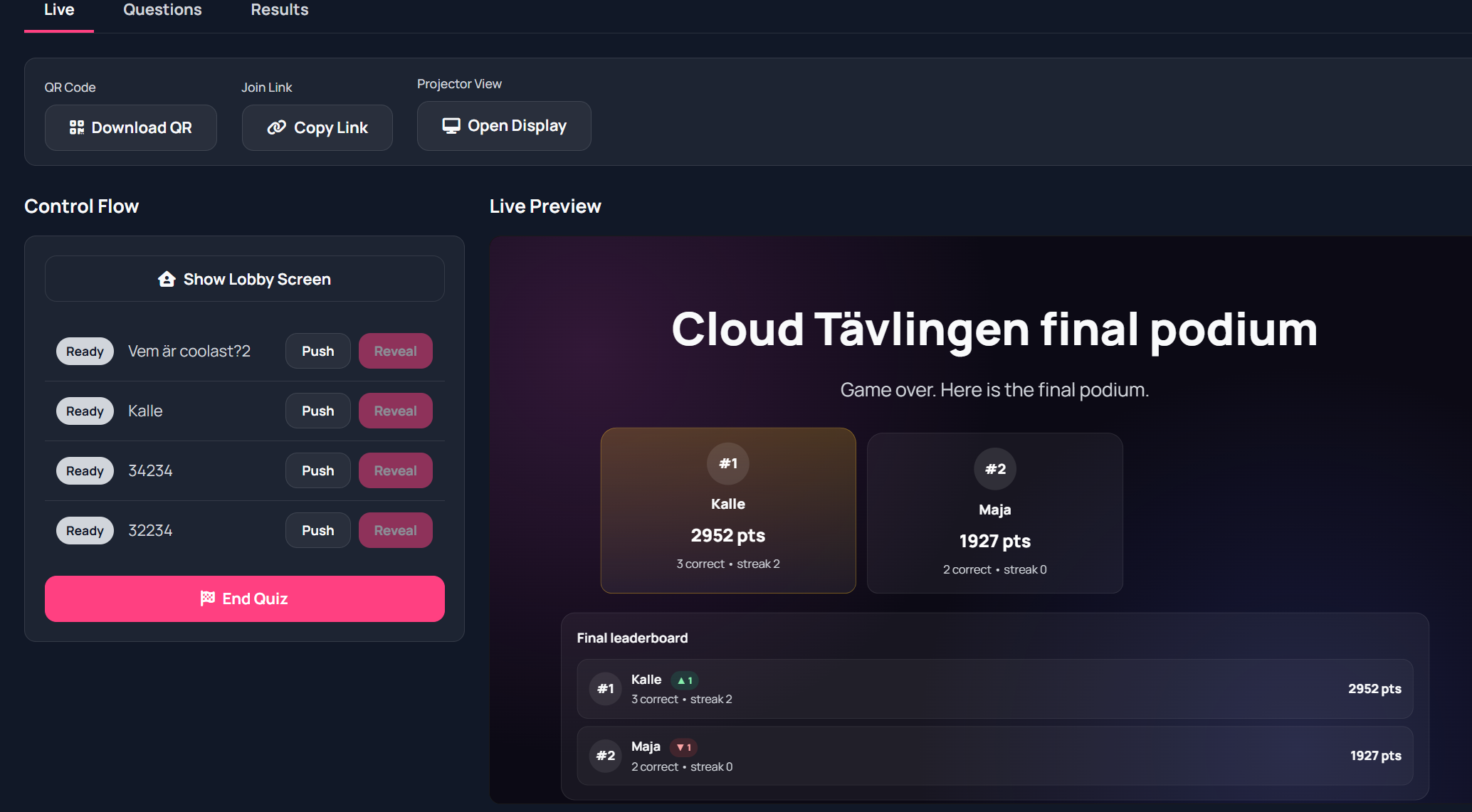
MentorSparks brings SparkQuiz game rounds, live polls, ranked voting, wheels, forms, collaborative whiteboards and break countdowns into one fast audience engagement workspace.
This is built for moments where attention matters: training sessions, workshops, classrooms, community meetings and internal facilitation. You can launch a SparkQuiz, ask a quick poll, reveal quiz answers, collect ranked priorities, spin a wheel, open a shared whiteboard or run a timed break without switching tools.
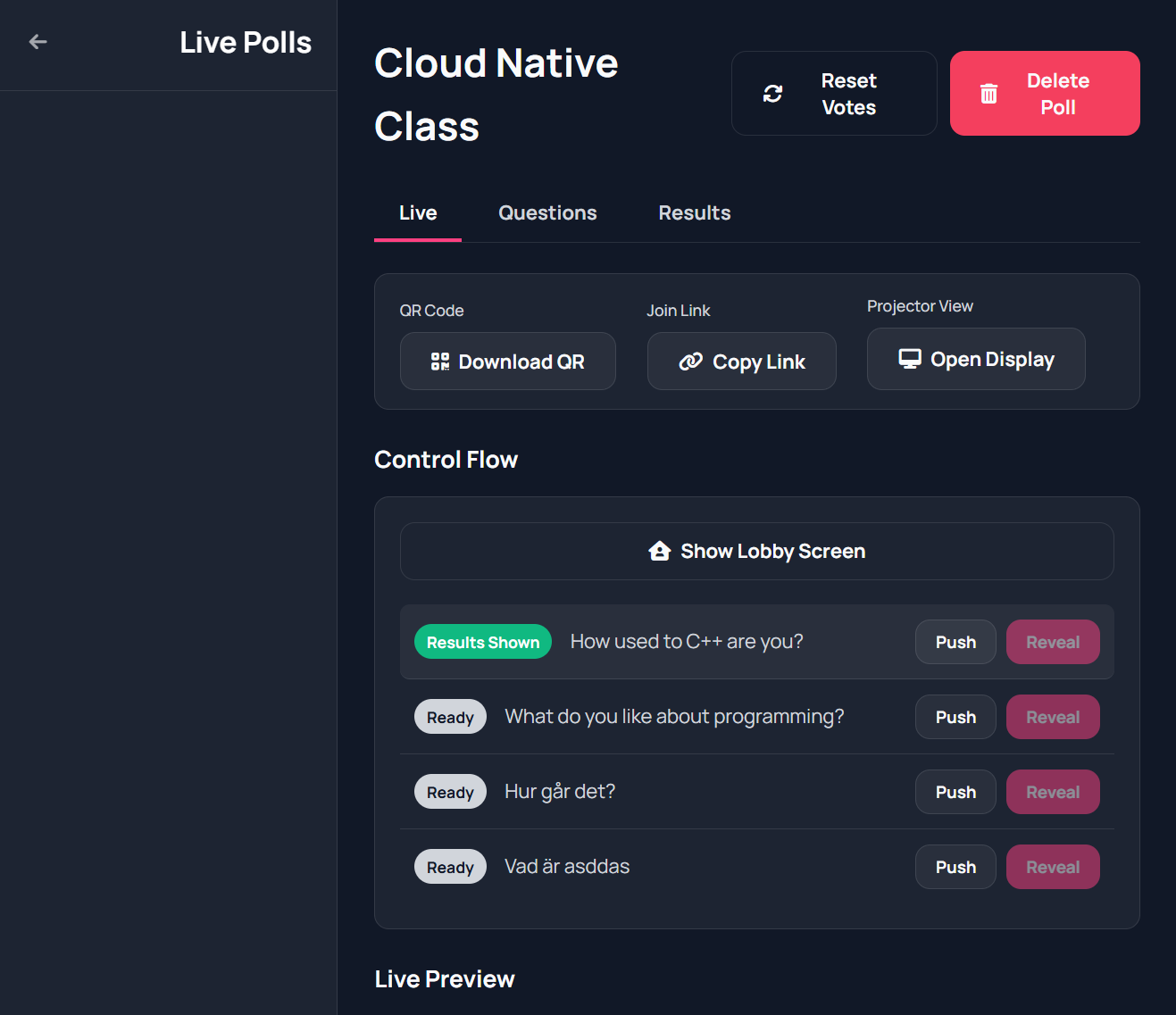
These are the actual product surfaces people use during live sessions: SparkQuiz game flow, poll control, collaborative whiteboards, and ranked collective voting with results.
Run Kahoot-style quiz rounds with timers, answer reveals, podium moments and a final leaderboard the host can end on demand.
Create questions, push them live, show the audience QR code, and reveal results from the same facilitator workspace.
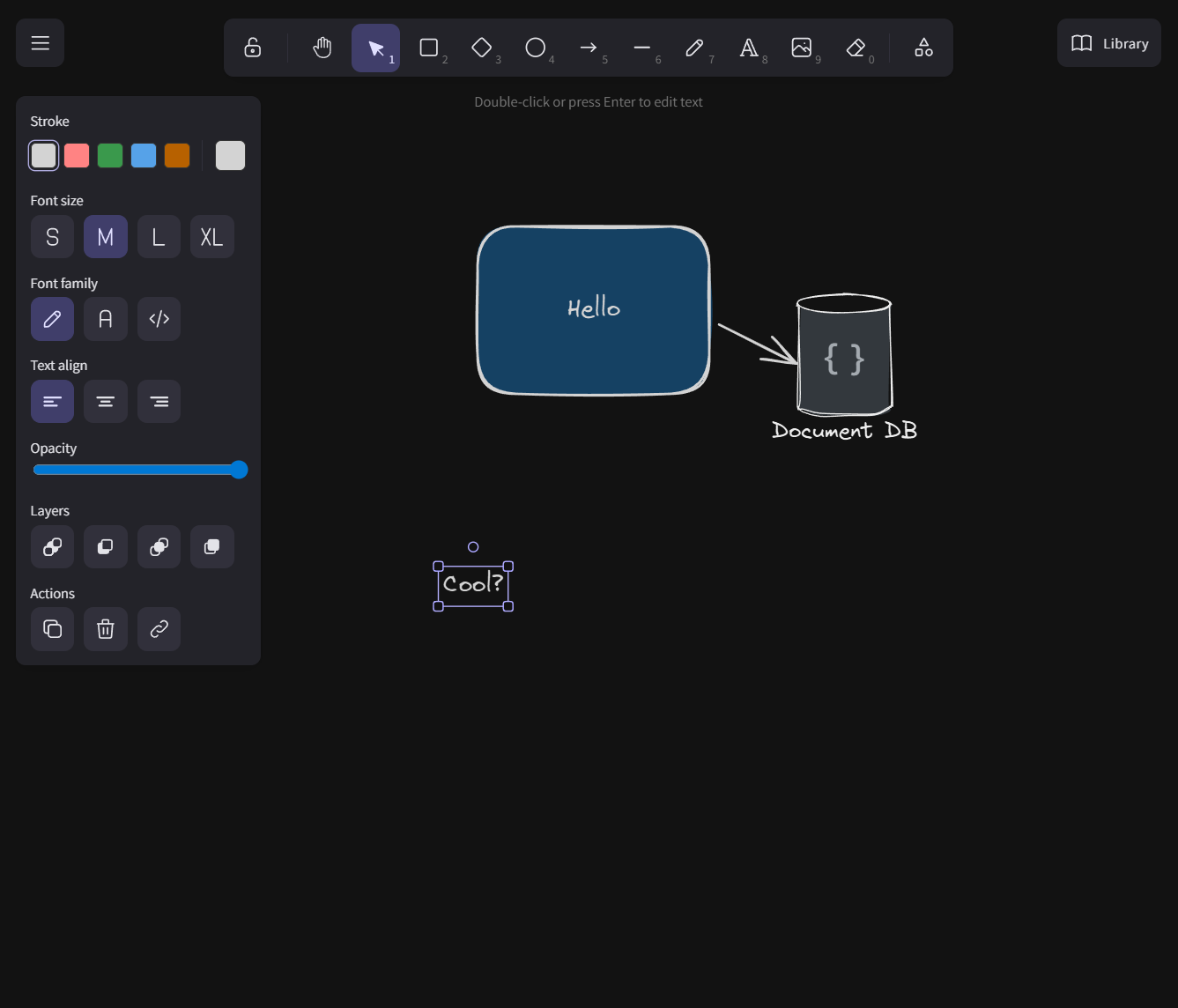
Open a shared board for sketching, note capture and visual facilitation without sending the group into a separate tool.
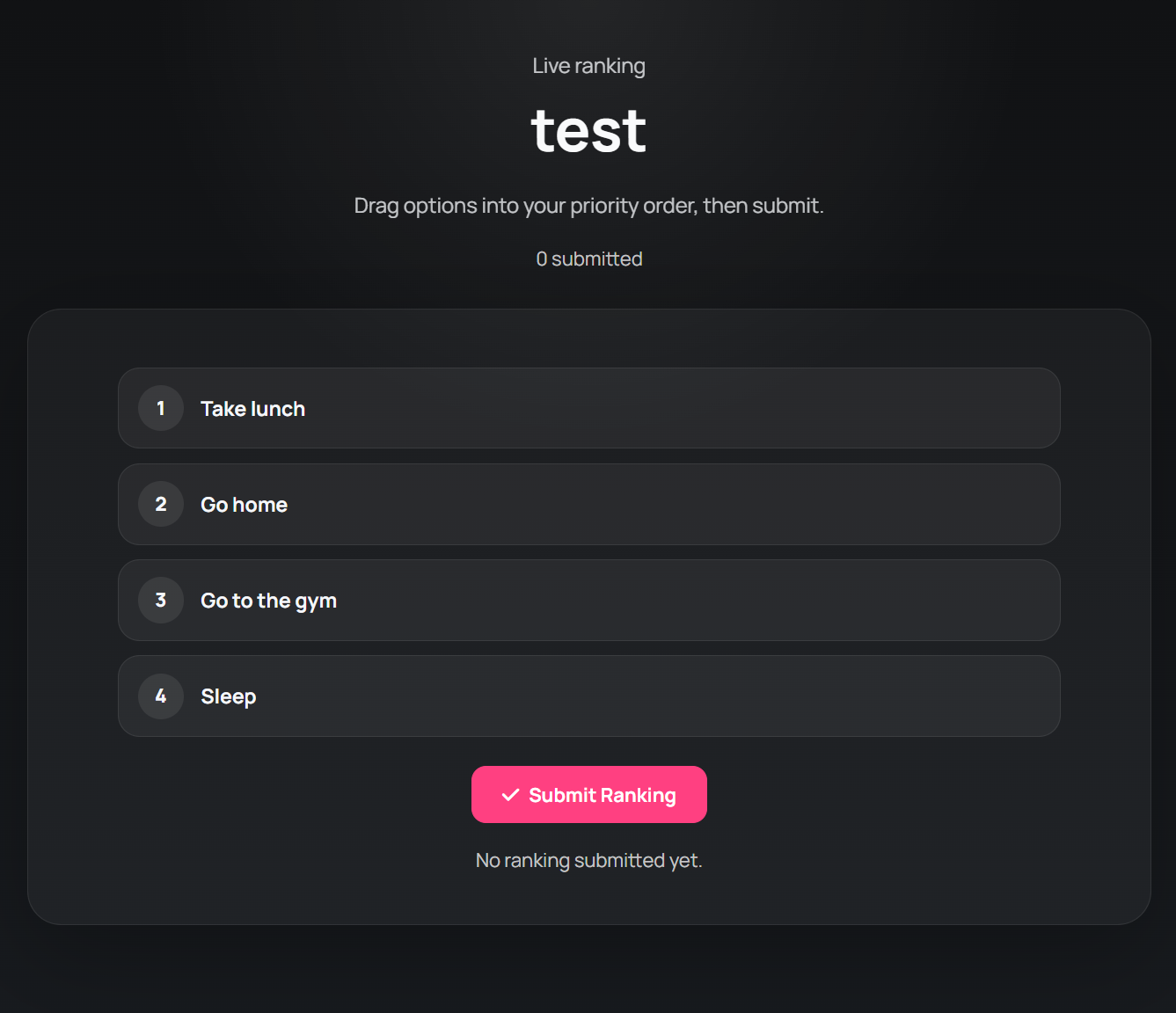
Let participants rank priorities, then reveal Borda-style outcomes and distribution patterns to surface real group preference.
MentorSparks is not a single poll page anymore. It is a modular engagement toolkit for live facilitation.
Run multiple-choice polls, free-text questions and quiz-style questions with correct answers, reveal states and result views.
Host Kahoot-style quiz sessions with timed questions, scoreboards, streak bonuses, podium transitions and a final leaderboard reveal.
Let participants drag options into ranked order, then reveal Borda-style results with heat-map style rank distribution.
Use wheels for energizers, random selection and gamified moments when you want the room to react instantly.
Collect richer responses than a quick poll when you need fields, multiple prompts or a more guided workflow.
Open shared boards for brainstorming, diagrams and notes without leaving the facilitation workspace.
Keep timing visible with live break screens, descriptions and optional collaborative pixel canvases during pauses.
Create the polls, whiteboards, forms, wheels or collective voting boards you want to use before or during the session.
Open the display view, share the QR code or copy the join link, and switch the room into the next activity in seconds.
Show answers, highlight patterns, compare rankings, spin a winner, or move straight into the next collaborative moment.
Use MentorSparks in teaching, training, leadership offsites, retrospective meetings, volunteer communities, hackdays and public speaking formats that need visible participation.
The current offer is simple: get started at no cost, validate the format with real sessions, and move to a paid plan later if you need more volume and more advanced usage.
Best for trying MentorSparks in real workshops, mentoring sessions and smaller interactive meetings.
For facilitators and teams running repeated sessions who want the full MentorSparks workflow available at scale.
Participants can engage anonymously by default, while facilitators keep control of what goes live. The platform is hosted in Europe and built around functional use instead of surveillance-style analytics.
MentorSparks works best when you want one place to orchestrate quiz energy, audience interaction and collaborative tools instead of stitching together separate apps.